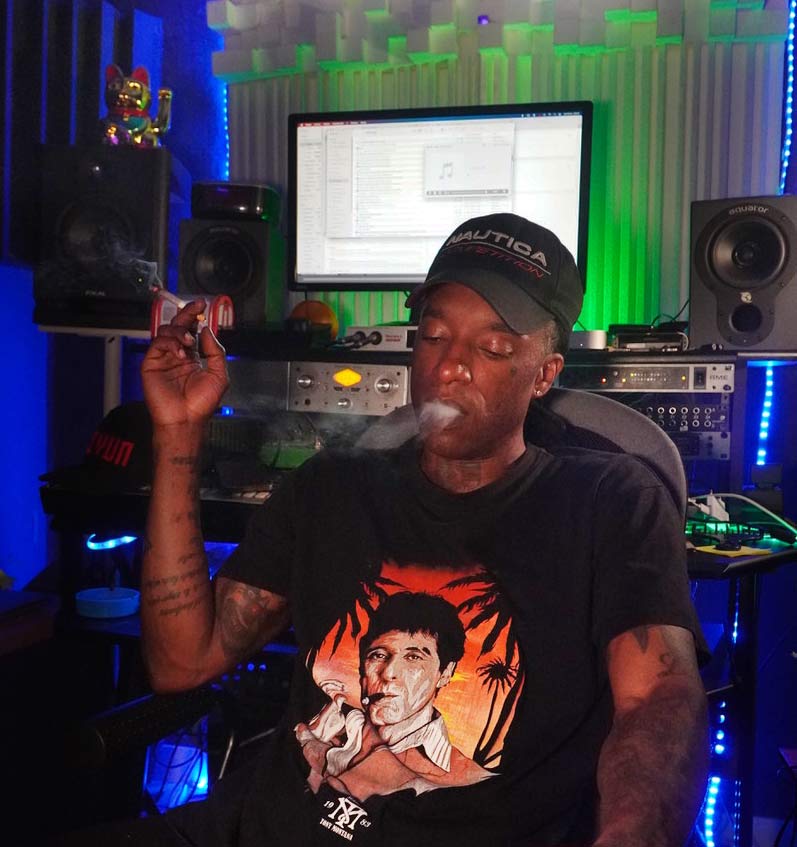
The BEST COURSE To Master ABLETON In Barcelona

Stop watching tutorials and start finishing tracks. Our Academy sessions are designed to bridge the gap between "knowing the tool" and mastering the sound. Learn with producers who use these techniques to release on international labels. 100% practical, 0% fluff.
Training for Producers Who Want Results
This is studio-level education focused on output. You leave with skills, templates, and decisions you can use immediately.
Learning paths
- 1:1 mentorship tailored to your genre and workflow.
- Intensives on Ableton, Logic, and production systems.
- Project feedback that fixes the real bottlenecks.
What you take home
- Sound design and arrangement frameworks.
- Mix decisions that translate across systems.
- Confidence to finish and release your tracks.
Made for artists who want a clean method, not random tips.
Basic Music Production Course with Ableton Live
Discover the power of Ableton Live. This course will take you on an exciting journey from the fundamentals to advanced techniques, enabling you to develop an efficient workflow to realise your creativity with speed and precision.
Who is this course for?
This programme is ideal for both those with no previous music production experience and those with previous knowledge looking to hone their skills. You will learn how to compose, produce and perform live music, exploring the versatile capabilities of Ableton Live.
Taught by a PRO of Ableton
If you are interested in learning Ableton look no further. We have the best training. Yes, I'm serious! I say this based on experience because I have years of training students who become real producers, publishing their music, taking their music project to the top.
SEE MY BIO HERESEE THE SUCCESS OF MY STUDENTS HERE
Basic Music Production Course with Ableton Live
Discover the power of Ableton Live. This course will take you on an exciting journey from the fundamentals to advanced techniques, enabling you to develop an efficient workflow to realise your creativity with speed and precision.
Individual and Group Sessions Every Week (Barcelona & Online)
This course includes 1 h of individual session + 1 h of group session online or in person at the studio. You must choose the day and time of the week that fits your schedule.
Course Details
Module 1: Introduction to Ableton and Basics
- Introduction to Ableton LiveNavigating the interface.Basic configuration of the project.
- Navigating the interface.
- Basic configuration of the project.
- Clip View and DevicesExploring the Clip view.Use of basic devices.
- Exploring the Clip view.
- Use of basic devices.
- Navigating the interface.
- Basic configuration of the project.
- Exploring the Clip view.
- Use of basic devices.
- Playback, Recording and Editing ControlsUse of essential controls.Basic recording and editing techniques.
- Use of essential controls.
- Basic recording and editing techniques.
- Instruments / Plugins and Audio EffectsIntroduction to instruments and plugins.Exploration of audio effects.
- Introduction to instruments and plugins.
- Exploration of audio effects.
Playback, Recording and Editing Controls
- Use of essential controls.
- Basic recording and editing techniques.
Instruments / Plugins and Audio Effects
- Introduction to instruments and plugins.
- Exploration of audio effects.
- Automations / ModulationsCreation and implementation of automations.Use of basic modulations.
- Creation and implementation of automations.
- Use of basic modulations.
- Preferences and ShortcutsPreference settings.Efficient use of keyboard shortcuts.
- Preference settings.
- Efficient use of keyboard shortcuts.
- Creation and implementation of automations.
- Use of basic modulations.
- Preference settings.
- Efficient use of keyboard shortcuts.
Module 2: Audio Workflow in Ableton
- Digital Audio FormatsDifferent formats and their uses.Tips for audio quality.
- Different formats and their uses.
- Tips for audio quality.
- Live Audio Editing and Basic ProcessingAudio editing tools in Ableton.Basic sound processing.
- Audio editing tools in Ableton.
- Basic sound processing.
- Different formats and their uses.
- Tips for audio quality.
Live Audio Editing and Basic Processing
- Audio editing tools in Ableton.
- Basic sound processing.
- Audio ProcessingAdvanced processing techniques.Use of specific effects.
- Advanced processing techniques.
- Use of specific effects.
- Basic Warp and Warp ModesPrinciples of Warp in Ableton.Exploration of different warp modes.
- Principles of Warp in Ableton.
- Exploration of different warp modes.
- Advanced processing techniques.
- Use of specific effects.
- Principles of Warp in Ableton.
- Exploration of different warp modes.
- Melody / Drums / Harmony / Groove ExtractionTechniques for extracting musical elements.Creation of groove variations.
- Techniques for extracting musical elements.
- Creation of groove variations.
- Exporting Audio / Video in Ableton LiveProject export process.Considerations when exporting audio and video.
- Project export process.
- Considerations when exporting audio and video.
Melody / Drums / Harmony / Groove Extraction
- Techniques for extracting musical elements.
- Creation of groove variations.
Exporting Audio / Video in Ableton Live
- Project export process.
- Considerations when exporting audio and video.
Module 3: Midi Workflow and Music Creation
- The Midi Format and Creating Midi ClipsFundamentals of the Midi format.Creation and manipulation of Midi clips.
- Fundamentals of the Midi format.
- Creation and manipulation of Midi clips.
- Clip View and Midi Note EditorExploring the Clip Midi view.Detailed editing of Midi notes.
- Exploring the Clip Midi view.
- Detailed editing of Midi notes.
The Midi Format and Creating Midi Clips
- Fundamentals of the Midi format.
- Creation and manipulation of Midi clips.
- Exploring the Clip Midi view.
- Detailed editing of Midi notes.
- Live Instruments and Midi Clip CreationUse of Midi instruments.Creation and manipulation of Midi clips.
- Use of Midi instruments.
- Creation and manipulation of Midi clips.
- Introduction to SynthesizersWhat is a synthesiser.History and types of synthesis.
- What is a synthesiser.
- History and types of synthesis.
Live Instruments and Midi Clip Creation
- Use of Midi instruments.
- Creation and manipulation of Midi clips.
- What is a synthesiser.
- History and types of synthesis.
- Subtractive Synthesis IPrinciples and techniques of subtractive synthesis.Creation of basic presets.
- Principles and techniques of subtractive synthesis.
- Creation of basic presets.
- Wavetable Synthesis IExploration of Wavetable synthesis.Creating sounds with Wavetable.
- Exploration of Wavetable synthesis.
- Creating sounds with Wavetable.
- Principles and techniques of subtractive synthesis.
- Creation of basic presets.
- Exploration of Wavetable synthesis.
- Creating sounds with Wavetable.
Module 4: Mixing and Effects in Ableton
- Mixing I - Basic ConceptsFundamental principles of mixing.Strategies for achieving a balanced sound.
- Fundamental principles of mixing.
- Strategies for achieving a balanced sound.
- Mixing II - Basic Tools IUsing the mixer in Ableton.Handling of insertions and submissions.
- Using the mixer in Ableton.
- Handling of insertions and submissions.
- Fundamental principles of mixing.
- Strategies for achieving a balanced sound.
- Using the mixer in Ableton.
- Handling of insertions and submissions.
- Mixing II - Basic Tools IISignal and frequency routing in the mix.Use of frequency analysers.
- Signal and frequency routing in the mix.
- Use of frequency analysers.
- Audio Effects I: Frequency, Dynamics, Stereo AmplitudeFrequency manipulation with audio effects.Application of stereo dynamics and amplitude.
- Frequency manipulation with audio effects.
- Application of stereo dynamics and amplitude.
- Signal and frequency routing in the mix.
- Use of frequency analysers.
Audio Effects I: Frequency, Dynamics, Stereo Amplitude
- Frequency manipulation with audio effects.
- Application of stereo dynamics and amplitude.
Week 23: Audio Effects II and Final Summary
- Audio Effects II: Distortion, Modulation, AcousticsAdvanced use of audio effects.Application of distortion, modulation and acoustic effects.
- Advanced use of audio effects.
- Application of distortion, modulation and acoustic effects.
- Final Summary and QuestionsGeneral review of the course.Final question and answer session.
- General review of the course.
- Final question and answer session.
Audio Effects II: Distortion, Modulation, Acoustics
- Advanced use of audio effects.
- Application of distortion, modulation and acoustic effects.
- General review of the course.
- Final question and answer session.
Week 25: Delivery of Course 1 and Announcement of the Next Course
- Delivery of Course 1 and Announcement of the Next CourseFinal reviews and feedback.Announcement of the next course and objectives.
- Final reviews and feedback.
- Announcement of the next course and objectives.
- Final reviews and feedback.
- Announcement of the next course and objectives.
Week 26: Final Q&A Session
- Final Q&A SessionResolution of final doubts.Guidance for continued practice.
- Resolution of final doubts.
- Guidance for continued practice.
- Resolution of final doubts.
- Guidance for continued practice.
Final Course Project: Creating a Music Track in Ableton Live
General Objective of the Project: Create a complete music track in Ableton Live that integrates the concepts learned throughout the course, demonstrating skills in composition, sound design, mixing and mastering.
- Task 1: Definition of Musical StyleSelect a musical style that excites or challenges you.
- Select a musical style that excites or challenges you.
- Task 2: Project DesignOutline the structure of your track.Establishes the harmonic progression and key sections.
- Outline the structure of your track.
- Establishes the harmonic progression and key sections.
Task 1: Definition of Musical Style
- Select a musical style that excites or challenges you.
- Outline the structure of your track.
- Establishes the harmonic progression and key sections.
- Task 3: Creating Midi Clips and InstrumentationUse knowledge of Midi clip creation and select appropriate instruments.
- Use knowledge of Midi clip creation and select appropriate instruments.
- Task 4: Sound Design and SynthesisApplies sound design techniques using synthesisers and effects.
- Applies sound design techniques using synthesisers and effects.
Task 3: Creating Midi Clips and Instrumentation
- Use knowledge of Midi clip creation and select appropriate instruments.
Task 4: Sound Design and Synthesis
- Applies sound design techniques using synthesisers and effects.
- Task 5: Mixing TracksAdjusts levels, pans and applies eq techniques to achieve a balanced mix.
- Adjusts levels, pans and applies eq techniques to achieve a balanced mix.
- Task 6: Effects and AutomationsAdd effects and automations to enhance dynamics and interest.
- Add effects and automations to enhance dynamics and interest.
- Adjusts levels, pans and applies eq techniques to achieve a balanced mix.
Task 6: Effects and Automations
- Add effects and automations to enhance dynamics and interest.
- Task 7: MasteringApply mastering techniques to achieve a professional and cohesive sound.
- Apply mastering techniques to achieve a professional and cohesive sound.
- Task 8: Preparation for PresentationExport the final track and prepare a presentation.
- Export the final track and prepare a presentation.
- Apply mastering techniques to achieve a professional and cohesive sound.
Task 8: Preparation for Presentation
- Export the final track and prepare a presentation.
- Final Delivery: Music Track and DocumentationUpload your final track to the course platform.Accompany your submission with a brief documentation of the creative and technical decisions made.
- Upload your final track to the course platform.
- Accompany your submission with a brief documentation of the creative and technical decisions made.
- Presentation and Feedback SessionWe will organise a live presentation session for you to share your project with the class.You will receive feedback from the instructor and your peers.
- We will organise a live presentation session for you to share your project with the class.
- You will receive feedback from the instructor and your peers.
Final Delivery: Music Track and Documentation
- Upload your final track to the course platform.
- Accompany your submission with a brief documentation of the creative and technical decisions made.
Presentation and Feedback Session
- We will organise a live presentation session for you to share your project with the class.
- You will receive feedback from the instructor and your peers.
- Creativity in the choice of musical style and composition.
- Effective application of sound design and synthesis techniques.
- Quality of mixing and appropriate use of effects and automation.
- Appropriate mastering levels to achieve a professional sound.
- Clear presentation and concise documentation of the decisions taken in the process.
This final project will allow students to comprehensively apply the knowledge acquired throughout the course and demonstrate their skills in creating electronic music using Ableton Live. The live performance and feedback will provide a valuable opportunity for continuous learning and improvement.
- Didactic material in PDF for each module of the course.
- Face-to-face or online hours, adapting to your availability.
- Access to a studio equipped with Mac computers and Ableton Live.
- Personalised professional advice for your musical project.
- Interactive online learning environment.
- Studio practice to apply your knowledge in practice.
- It belongs to an active and passionate community of music producers.
- It is suggested that you have Ableton Live installed on your own computer to get the most out of your practice and assignments outside the classroom. You can download the free 3-month demo here.
- Although advanced knowledge is not required, it is beneficial to have basic computer skills to navigate the software and perform simple tasks.
Get ready to Dive into the World of Music Production with Ableton Live!
We are excited to join you on this journey and make sure you have everything you need to learn and create music effectively. If you have any additional questions, please do not hesitate to contact us. See you in class!
- This course, designed to make you an Ableton Live expert, is spread over 4 months, with a total of 48 hours of intensive learning. Each week, you'll enjoy 3 hours of exclusive sessions with Ander, either in the studio or in online sessions. Ander will address everything live, giving you the opportunity to ask questions. In addition, you'll have 24 hours in group sessions and 12 hours online with practice, videos and bonus content - get ready to master Ableton Live in just 4 months!
We like to get straight to the point, no bullshit registration, tuition or terrace add-ons. Same cost, whether you're from here or anywhere else. Here are the options:
Single Payment: 450 for the full 4-month course (48 hours).
Monthly Payment: 150 per month. Start with the first month's payment to get started.
Refer a Friend: If you both sign up together, you both get a 20% discount! Sharing is winning.
Learn with no fuss and join us to master Ableton Live from zero to expert level!
"Recorded my first single, 15K streams in..."
Ivan GF
"Mix beats studios charging double. Profe..."
Guillermo M.
"Professional, fast, sound is BRUTAL. Tra..."
Patrice B.
"Best investment in my music career. €150..."
Shaun D.
Questions Answered
Why not another cheaper studio?
Other studios sell equipment. We sell: 'Your track sounds like international professional'. Difference: €80 with an ear from 500+ productions vs €50 with generic setup. Which do artists who want to grow choose?
Who is Ander B? Never heard
Releases: Robsoul Recordings (Detroit legend), Nervous NYC (Tech house authority). International producer now producing YOUR tracks.
Guarantee if I don't like it?
If your track doesn't sound competitive in its genre, we revise at no additional cost. Plus: First session COMPLETELY FREE (30 min briefing). Zero risk. Total transparency.
I'm remote/in another country
Send digital audio → Ander mixes in studio → Receive in 48h ready. Same quality. Same expertise. Zero difference.
Find Us
⚡ Only 1-2 projects per week · Limited space